adaptive.run TECH BLOG

Cloud can be tricky sometimes. Find out what scenarios we've ran into that are worth being mentioned and explained.

Connecting securely to an on-premises server via Azure Relay

Level: 200
Publishing date: 02-Jan-2026
Author: Catalin Popa

In today’s environments, where cloud-based and on-premises systems must operate together smoothly, establishing secure and dependable connectivity between them is critical. Hybrid applications frequently need to interact with on-premises assets—such as databases, APIs, or internal services—without making those resources publicly accessible. Microsoft Azure Relay offers a robust approach to secure hybrid connectivity, linking cloud and on-premises environments without sacrificing security.
Azure Relay enables applications hosted in Azure to safely communicate with on-premises services through existing firewalls, making it possible to integrate, manage, and monitor essential resources from anywhere. In this article, we’ll examine what Azure Relay is, highlight its key features, explore common use cases, and share best practices for effective deployment. By the end, you’ll understand why Azure Relay is a valuable solution for organizations looking to streamline secure hybrid communication.

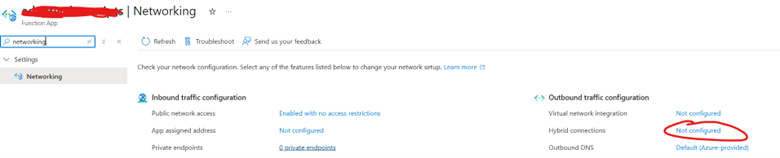
Setting it up is pretty straight-forward – you can create an Azure Relay as an independent resource or as a connectivity mechanism from your webapps/function apps, as a “Hybrid connection”:

Mobirise
azure.microsoft.com
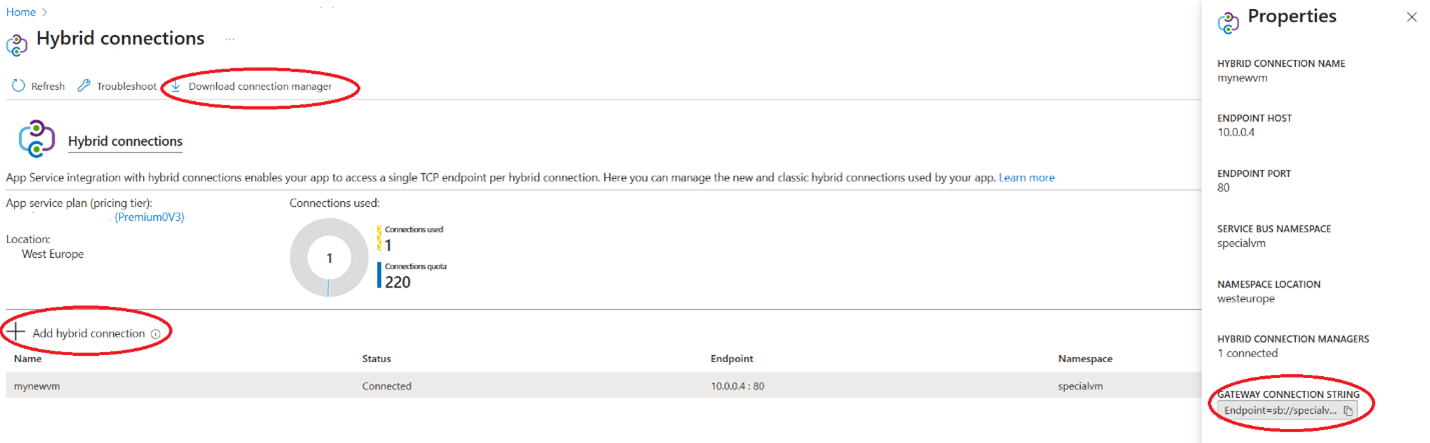
Once a hybrid connection is set-up, a “Connection Manager” software needs to be downloaded and installed on the on-premises server that needs to connect to Azure:

Mobirise
azure.microsoft.com
Once the software is installed, you’ll have to use the gateway connection string from the hybrid connection to link-up in the software the on-premises server.

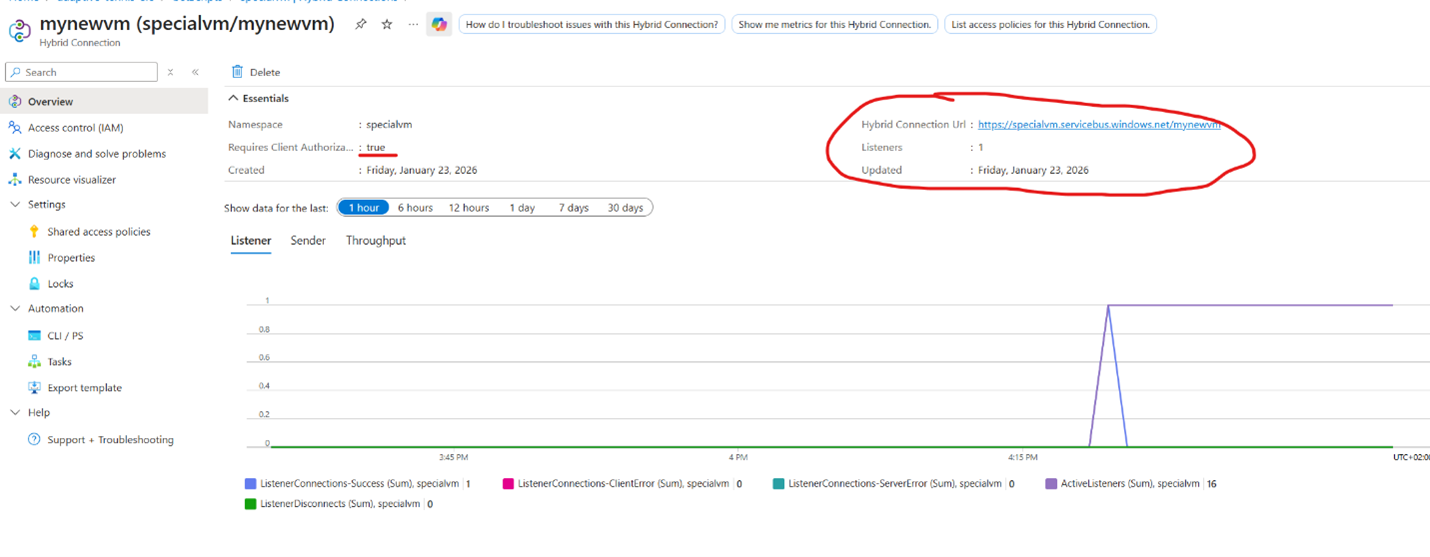
Once everything is set-up, you should see listeners being active on the relay:


Mobirise
azure.microsoft.com
Now, in order to use/send messages towards the on-prem server, you’ll have to use the URL from the relay (which will be something like https://<yourrelayservice>.servicebus.windows.net/<yourservice>). Keep in mind that you’ll have to authenticate each time you do requests towards this service (via the SAS key of the relay or similar).

By following the steps above, you now have a simple and secured connection between Azure and an on-premises server.

Mobirise
adaptive.run

Transform your business.
Run adaptive.

Contact

Phone: +40 73 523 0005
Email: hello@adaptive.run

Mobirise Website Builder

© Copyright  2019-2026 adaptive.run- All Rights Reserved